If you have set a background image for your preview, you can change the image's brightness at any time to suit your needs (for example to simulate nighttime). Changing the brightness of the background image for a preview changes the image's brightness for all sequences that use that preview. There are several places where the background image brightness can be changed:
Change Background Brightness From the Sequence Tab
Click on the Preview Name on the sequence's toolbar, then select "Background Image".
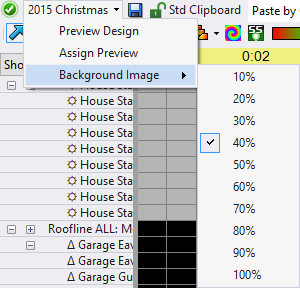
Change background image brightness from the sequence tab
Change Background Brightness From the Playback Window
Right-click anywhere on the Preview Playback window, then select "Background Image" from the pop-up menu.
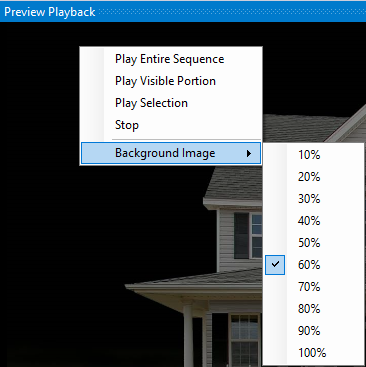
Change background image brightness from the Playback window
Change Background Brightness In Preview Design
Open the Background tab, then use the Brightness slider to adjust the background image. You can also assign or clear the background image from here.

Change background image brightness from Preview Design